Reaching the Exit
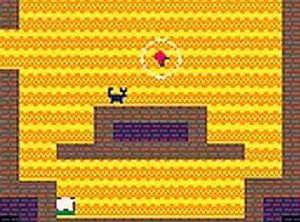
Each side-scrolling stage in Whisker Quest asks one thing: get the cat to the exit. A robotic mouse complicates that path by scattering shiny foil balls and small fruits, so timing and positioning matter as much as speed. The challenge comes from reading obstacle patterns and planning a few moves ahead rather than reacting on instinct alone.
Helpful Objects and Strategic Use
Scratching posts and litter boxes appear as interactive elements placed by friendly cats. These objects are not decoration; they sit near tricky obstacle clusters and can turn a difficult passage into a manageable one. Experimenting with them is part of the level design, and using them well often separates a smooth run from a frustrating one.
Collecting Cat Food for Score
Small portions of cat food are tucked throughout each stage, including less obvious spots that reward thorough searching. Collecting them adds to your overall score, so players aiming for high totals must balance quick exits against careful exploration. That tension gives each level a second layer beyond simply reaching the goal.
Controls and Platform Access
Whisker Quest runs in a browser on desktop and mobile with no installation required. You move the cat left and right using a mouse or touch input, and the same input interacts with objects. A full-screen mode is available for a cleaner view, and sessions can be as short or as long as you like.
Visual Style and Difficulty Curve
The cartoon-like visuals use bright colors and simple character designs, keeping attention on the action. Obstacle patterns grow more intricate as you progress, and helpful item placement shifts, so early stages teach habits that later stages test. Replay value comes from improving scores and finding missed collectibles on earlier levels.









Editorial Notes