Bubble Trouble Arcade Game
Reviews
💡Bubble Trouble delivers a satisfying arcade experience with its simple yet challenging bubble-popping mechanics. The game starts easy but quickly ramps up in speed and complexity, offering good replayability. The two-player mode adds cooperative fun. It is a clean, family-friendly game that respects your time and provides genuine entertainment.
Description
Game Introduction
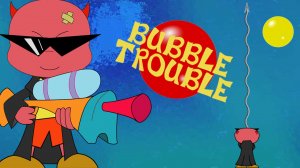
Bubble Trouble is a retro-style arcade game that brings back classic bubble-popping action. Players take on the role of a character tasked with clearing the screen of bouncing bubbles. Each bubble that is popped splits into smaller, faster threats, making the game increasingly challenging. With simple controls and addictive gameplay, Bubble Trouble is perfect for quick gaming sessions or longer playthroughs. The game features multiple levels where quick reflexes are essential. Whether you are a fan of retro games or just looking for a fun challenge, Bubble Trouble offers pure, family-friendly entertainment for all ages.
How to Play
To play Bubble Trouble, use the arrow keys or A and D to move left and right. Press the spacebar or Q to shoot your projectile straight up. Your goal is to pop all bubbles from largest to smallest to clear each level. Avoid getting touched by any bubble, or you will lose a life. Stand directly under bubbles for the best shooting angle. The game starts with simple patterns but quickly becomes chaotic as bubbles multiply and speed up. You can change the controls in the settings menu to suit your preferences. Player 1 uses arrow keys and spacebar, while Player 2 uses A, D, and Q for two-player action.
Game Features
Game features include addictive bubble-popping action with simple controls. Increasingly challenging levels keep players engaged. Two-player mode allows cooperative play. Customizable controls let you adjust to your preferences. Retro-style graphics and sound create a nostalgic experience.
Tips for Success
To succeed in Bubble Trouble, focus on staying calm as the screen becomes more crowded. Prioritize popping the largest bubbles first, as they split into smaller ones that are harder to avoid. Practice moving precisely to dodge fast-moving bubbles. Use the two-player mode to coordinate with a friend, covering more of the screen. Finally, adjust the controls in the settings to find a layout that feels most comfortable for you.
Compatibility
Faq
Is Bubble Trouble free to play?
Can I play Bubble Trouble on my mobile device?
Does Bubble Trouble have a time limit or endless mode?
What happens if I lose all my lives in Bubble Trouble?
Are there any power-ups or special items in Bubble Trouble?
Can I save my progress in Bubble Trouble?
Associated Games

Bubble Pop Classic Puzzle Game
Clean graphics and smooth controls. Great for relaxing breaks.
Toilet Paper Run Arcade
Clever arcade fun with smooth controls. 45 levels keep you engaged for hours.

Brawl Stars Puzzle Jigsaw
Clean jigsaw gameplay with nice images. Three difficulty levels keep it fresh for short breaks.

Idle Cannon: Brick Buster Arcade Game
Addictive idle gameplay with clear progression. Easy to start, fun to optimize.

Minecraft Jumper Arcade Game
Simple tapping mechanics with charming block visuals. Great for quick, relaxing play sessions.

Bubble Trouble Arcade Game
Addictive bubble popping with escalating difficulty. Simple controls and retro charm make it a great time killer.

Disney Junior Mini-Games Arcade
Varied mini-games with beloved characters. Simple controls and positive rewards keep kids engaged.

Space Adventure Match-3 Puzzle
Charming animal characters and smooth match-3 gameplay. Perfect for quick, relaxing breaks.