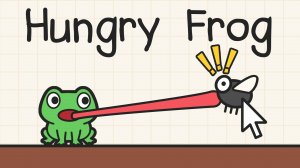
Aiming and Firing the Tongue
Hungry Frog Puzzle Adventure is built around one core action: aiming the frog's sticky tongue and releasing it to catch flies. On a computer, you click and drag to set the direction, then release to shoot. On mobile, you tap and hold to aim, then release to fire. The tongue travels in a straight line until it hits something, so every shot is a small physics problem. A direct hit catches a fly, but the real challenge comes from angles: the tongue can ricochet off walls, letting you reach flies that sit around corners or behind barriers.
Environmental Tools and Obstacles
Flies are not the only interactive element. Crates can be struck to clear obstacles, blocks can be pushed to form new pathways or bridges, and doors must be unlocked before you can advance to the next area. Each level combines these objects with the tongue's ricochet behavior, so you often need to plan a sequence: bounce here, push this block there, then unlock the door. The puzzles grow more complex as you progress, but the rules stay consistent, which makes experimentation low-risk.
Progression and New Game Plus
The game includes many levels, with difficulty rising steadily across the main campaign. After finishing it, a New Game Plus mode offers a greater challenge, likely by remixing or tightening the same mechanics for players who already understand the tongue's behavior. Because the game contains no violent or inappropriate material, it is designed for players of all ages, including families looking for a logic-focused puzzle game.
Practical Tips for Each Level
Before firing, survey the whole screen. Identify where the tongue can bounce and which objects are movable. Practice ricochet angles on early levels, since they are essential for reaching hidden flies later. Use crates to break barriers efficiently, and experiment with block positions to create new paths. If a solution stalls, try a different order of actions rather than repeating the same shot. Replaying earlier levels helps refine aim and timing.










Editorial Notes