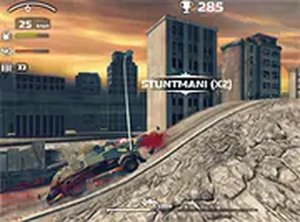
City Drive Master

Driving Racing Arcade
City Drive Master
148
Developer: Armada Labs
Published: 2026-02-18
Updated: 2026-07-30

Reviews

City Drive Master delivers a polished driving challenge that rewards careful navigation and smart upgrade choices. The 3D visuals create a believable urban setting, and the full-screen option adds to the immersion. The upgrade system gives you a clear sense of progression, making each session feel productive. The difficulty ramps up at a fair pace, so you always have room to improve without feeling overwhelmed. It is a solid choice for anyone looking for a quick, engaging driving game in their browser.

Description

Road Navigation Basics

City Drive Master puts you behind the wheel of a vehicle traveling through a busy road network. Your main task is to guide your car forward while avoiding other vehicles, barriers, and unexpected hazards that appear along the way. The game uses a straightforward control scheme where keyboard inputs let you steer left or right to change lanes and dodge incoming obstacles. Staying on the road and avoiding collisions is the key to extending your run and achieving a higher score.

Vehicle Upgrades & Customization

As you drive, you will come across coins and special power-ups scattered on the road. Collecting these items allows you to improve your vehicle's performance over time. You can invest in upgrades that boost your top speed, make your car more durable against minor bumps, or add useful equipment to help you handle tougher traffic sections. These enhancements are essential for progressing further into the game, as later stages present denser traffic and more complex patterns.

Visual Presentation & Immersion

The game features three-dimensional graphics that create a convincing urban driving environment. Roads, vehicles, and surroundings are rendered with enough detail to make the experience feel engaging. A full-screen mode is available, letting you remove browser distractions and focus entirely on the road ahead. The visual style is clean and bright, making it easy to spot upcoming obstacles and collectible items even at higher speeds.

Progression & Challenge Curve

City Drive Master is designed for continuous play, with the difficulty gradually increasing as you drive farther. Early sections allow you to get comfortable with the controls and start collecting upgrades. As you advance, the traffic becomes heavier and obstacles appear more frequently, requiring quicker reactions and more precise steering. The game rewards consistent practice and smart use of power-ups, giving you a clear sense of improvement each time you play.

Accessibility & Platform

This game runs directly in your web browser on a desktop computer, with no downloads or installations required. It is free to play, making it easy to jump into a quick session whenever you have a few minutes. The controls are simple enough for new players to pick up quickly, while the increasing challenge keeps experienced drivers engaged. City Drive Master is suitable for players of all ages who enjoy driving and racing games.

Compatibility

▸ Desktop: Chrome / Edge / Firefox / Safari
▸ Mobile: iOS Safari / Android Chrome
▸ Tablet: iPadOS Safari / Android Tablet Browser
Keep your browser updated for the best experience

Faq

Is City Drive Master free to play?
Yes, City Drive Master is completely free to play online. You do not need to pay anything to access the game or its features. There are no hidden costs or subscription fees required.
What devices can I play City Drive Master on?
City Drive Master is designed for desktop computers. It runs in a web browser, so you can play it on Windows, macOS, or Linux systems. It may not be optimized for mobile devices or tablets.
Do I need to download anything to play City Drive Master?
No download is required. The game runs entirely in your web browser. You just need an internet connection and a compatible browser to start playing immediately.
How do I control my vehicle in City Drive Master?
You control your vehicle using your keyboard. Typically, the left and right arrow keys or the A and D keys are used to steer your car and change lanes. Some versions may also support mouse input for on-screen buttons.
What kind of upgrades can I get in City Drive Master?
You can collect coins and power-ups while driving to upgrade your vehicle. Upgrades may include increased speed, better durability to withstand minor collisions, and additional equipment that helps you navigate more difficult traffic situations.
Does City Drive Master have different levels or tracks?
The game may include multiple environments or track layouts that change as you progress. These different sections require you to adjust your driving strategy, as the traffic patterns and obstacle placements vary.

Comments

0 comments
U
User
Loading comments...