Matching Colors to Numbers
Pixel Art Color Fill Puzzle asks you to select a color from an on-screen palette and apply it to highlighted cells on a numbered grid. Each correct fill brings the hidden image closer to completion. The game typically indicates which cells to fill next, so you always know where to place your attention. The result is a steady, low-pressure loop: pick a color, tap the matching cells, and watch the picture emerge one square at a time. Because the grid is numbered, there is no guesswork about which color belongs where — the challenge is in careful placement and patience rather than deduction.Controls for Touch and Desktop
The game supports both touch and mouse input. On a touchscreen, pinch gestures zoom in for precise placement; on desktop, scrolling achieves the same effect. For larger areas, a swipe mode lets you fill multiple pixels quickly, which keeps momentum during broad color regions. These tools matter because pixel art grids can contain fine details that demand accuracy. Zooming reduces mis-taps in tight sections, while swipe mode prevents repetitive tapping from slowing you down. The controls are designed to feel consistent whether you play on a phone, tablet, or computer.Image Library and Themes
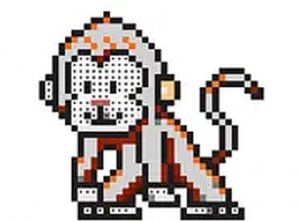
The game includes a large library of pixel art images covering themes such as animals, people, cars, flowers, food, fantasy creatures, and knights. Each image is a self-contained puzzle with its own grid and palette. The variety means you can choose a subject that matches your mood — a simple flower for a short session or a more detailed scene when you have time. Because the images are revealed through coloring, the subject matter stays light and decorative rather than narrative.Approaching the Grid
Starting with simpler images helps you get comfortable with the palette and zoom controls before tackling detailed artwork. When a section has many small cells, zoom in to avoid placing a color in the wrong spot. For large blocks of a single color, swipe mode saves time. Taking breaks is encouraged, since the game is meant to be relaxing rather than demanding. Experimenting with the order in which you fill colors can also make the process feel more natural, though the numbered grid keeps you on track regardless of your approach.✅ Compatibility & Testing
• Desktop (Windows 11, macOS Ventura)
• Mobile (iPhone 14, Samsung Galaxy S23)
• Tablet (iPad Pro, Android tablet)
✅Supported browsers: Chrome, Safari, Edge, Firefox (latest versions)
❌ Not supported: Internet Explorer, older browser versions









Editorial Notes