How Matching Works on a 3D Board
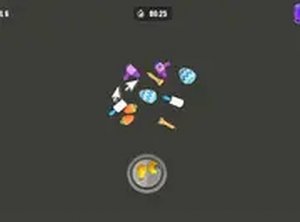
Each board is a scattered arrangement of objects placed on a three-dimensional plane. You select an item with a mouse click or a touch tap; when two identical objects are chosen, both disappear. The objective is to clear the entire board by forming these pairs. Because the field is 3D, some objects sit partially behind others, so you need to scan from different angles rather than relying on a flat top-down view.
What Changes as You Progress
Early boards keep the object count low and use distinct shapes and colors, which makes matches easy to spot. Later stages increase the density of items and often use objects that look similar to one another, so success depends on sharper focus and a better memory of where each item was seen. The game also rotates through visual themes such as shiny trinkets, playful animals, and expressive emojis, which keeps the board from feeling repetitive.
Controls, Platforms, and Pace
The game runs entirely in a web browser with no installation or registration. Controls are limited to selecting an object, which keeps the experience approachable for younger players and anyone who prefers low-friction play. A desktop computer with a mouse offers the most precise control, though the game may also work on tablets and smartphones for short sessions. There is no timer and no scoring pressure, so you can pause, reflect, and scan the board at your own speed.
Memory and Observation in Practice
Success depends on remembering where specific objects are located after they have been seen but not yet matched. Regular play may help improve short-term memory and visual scanning, though the game does not present itself as a formal training tool. The steady increase in board complexity means the challenge grows alongside your familiarity with the matching process.








Editorial Notes