Alien Survival Quest

Action
Alien Survival Quest
146
Developer: Current Creations
Published: 2024-05-10
Updated: 2026-07-04

Reviews

💡Alien Survival Quest delivers a solid survival experience with its wave-based alien encounters. The progressive difficulty keeps each session fresh, and the controls are responsive. The free browser-based format makes it easy to jump in anytime. A good choice for fans of action survival games.

Description

Game Introduction

Alien Survival Quest is an action survival game that places you in a challenging scenario. After a crash landing on an uncharted planet, you must explore the surrounding area while avoiding hostile alien creatures. Your main objective is to stay alive as long as possible against waves of enemies. The game tests your reflexes and strategic thinking as the threats increase over time. With an immersive atmosphere and intense gameplay, this title appeals to fans of survival and alien-themed adventures. The experience is designed to keep you engaged as you adapt to the ever-growing difficulty.

How to Play

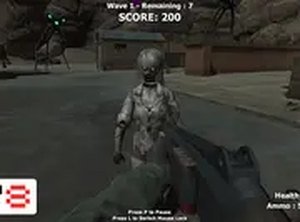
In Alien Survival Quest, players control their character using standard keyboard and mouse inputs on a desktop computer. You move through the environment to evade enemies and use your blaster to repel approaching creatures. The goal is to survive each wave by overcoming threats before they overwhelm you. Monitor your health and ammunition, and use the environment to your advantage. The game progressively becomes more challenging, so staying alert and adjusting your strategy is key. A full screen mode is available for a more immersive experience.

Game Features

Alien Survival Quest includes intense survival gameplay against alien creatures. The difficulty increases gradually, testing your endurance and reflexes. It is free to play directly in your browser and offers a full screen option for enhanced engagement. The game focuses on quick decision-making and spatial awareness as you navigate the alien planet.

Tips for Success

To maximize your survival time, keep moving and avoid getting trapped in corners. Prioritize which threats to handle first and conserve ammunition by aiming carefully. Learn enemy movement patterns to dodge effectively and use the environment for cover. Practice regularly to improve your reflexes and adapt to the increasing difficulty. Staying calm under pressure is essential for lasting longer in Alien Survival Quest.

Compatibility

✅ This game supports:
- Desktop browsers (Chrome, Edge, Safari)
- Mobile browsers (Chrome on Android, Safari on iOS)
❌ Does NOT support: - Internet Explorer - Very old browser versions
👉 Try refreshing or updating your browser

Faq

Can I play Alien Survival Quest on a mobile device?
The game is designed for desktop computers using a keyboard and mouse. It may not be optimized for mobile devices or touch controls. Check the game page for any mobile compatibility notes.
Is Alien Survival Quest free to play?
Yes, the game is free to play directly in your browser. There are no upfront costs or subscriptions required. Some optional in-game enhancements may be available, but the core experience is free.
How long does a typical game session last?
Session length varies based on your skill and the difficulty level. Beginners may survive a few minutes, while experienced players can last much longer. The game progressively increases in challenge, so each attempt can be different.
Are there different difficulty modes in Alien Survival Quest?
The input does not specify multiple difficulty modes. The game features progressive difficulty, meaning the challenge increases as you survive longer. Some games of this type may include optional difficulty settings, but this is not confirmed.
Can I save my progress in Alien Survival Quest?
As a browser-based game, progress saving may not be available. Each session is likely a fresh start. Check the game interface for any save or continue options that may be present.
What should I do if the game runs slowly?
Ensure your browser is updated and close other tabs or applications that may use resources. Try using full screen mode for a smoother experience. If issues persist, check the game's system requirements or contact support.