
Match Structure and Objective
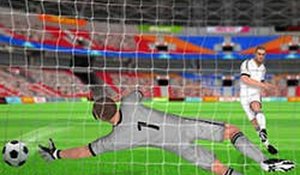
Every match in Soccer Sprint lasts exactly 90 seconds. The objective is simple: score more goals than the opponent before time runs out. This tight window removes long pauses and complex strategies, pushing players toward constant action and quick decisions. If the score is tied when the timer hits zero, the match ends in a draw. The format suits short breaks and rewards reflexes over extended tactical planning.
Controls and On-Field Actions
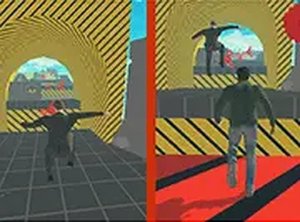
Players use on-screen buttons to move, pass, and shoot. The control scheme is designed to be learnable quickly, so newcomers can contribute within their first match. During play, players move their character to intercept the ball, distribute passes to teammates, and aim shots at the goal. [IMG_1] The emphasis stays on positioning and timing rather than complex input combinations, which keeps the skill gap approachable while still allowing precise play to decide outcomes.
Power-Ups and Match Dynamics
Power-ups appear on the field during matches. Collecting one grants a temporary advantage such as a speed boost or a defensive shield that blocks tackles. These items introduce a layer of unpredictability to each 90-second round, forcing players to weigh whether to chase a power-up or hold their position. [IMG_2] Speed boosts help reach a loose ball first, while shields protect ball carriers from being tackled. Knowing when to grab one and when to ignore it becomes a meaningful in-match decision.
Modes and Customization
Soccer Sprint offers solo matches against computer-controlled opponents and online matches against other players. Cross-platform support connects mobile devices and personal computers, so the player pool is not split by hardware. Character customization lets players change outfits and accessories, adding a personal visual touch to each match. Online play also includes leaderboards, giving competitive players a way to track progress against a wider community. [IMG_3]
Approaching the 90-Second Format
Because the clock never stops for long, players who practice in solo mode can learn where power-ups tend to appear and how the AI behaves. In matches, prioritizing shots on goal over elaborate dribbling tends to produce better results. Speed boosts are most valuable when a loose ball is nearby, while shields are best saved for moments when the opponent is pressing aggressively. Regular play builds the reflexes and pattern recognition that the short match length demands.







Editorial Notes